
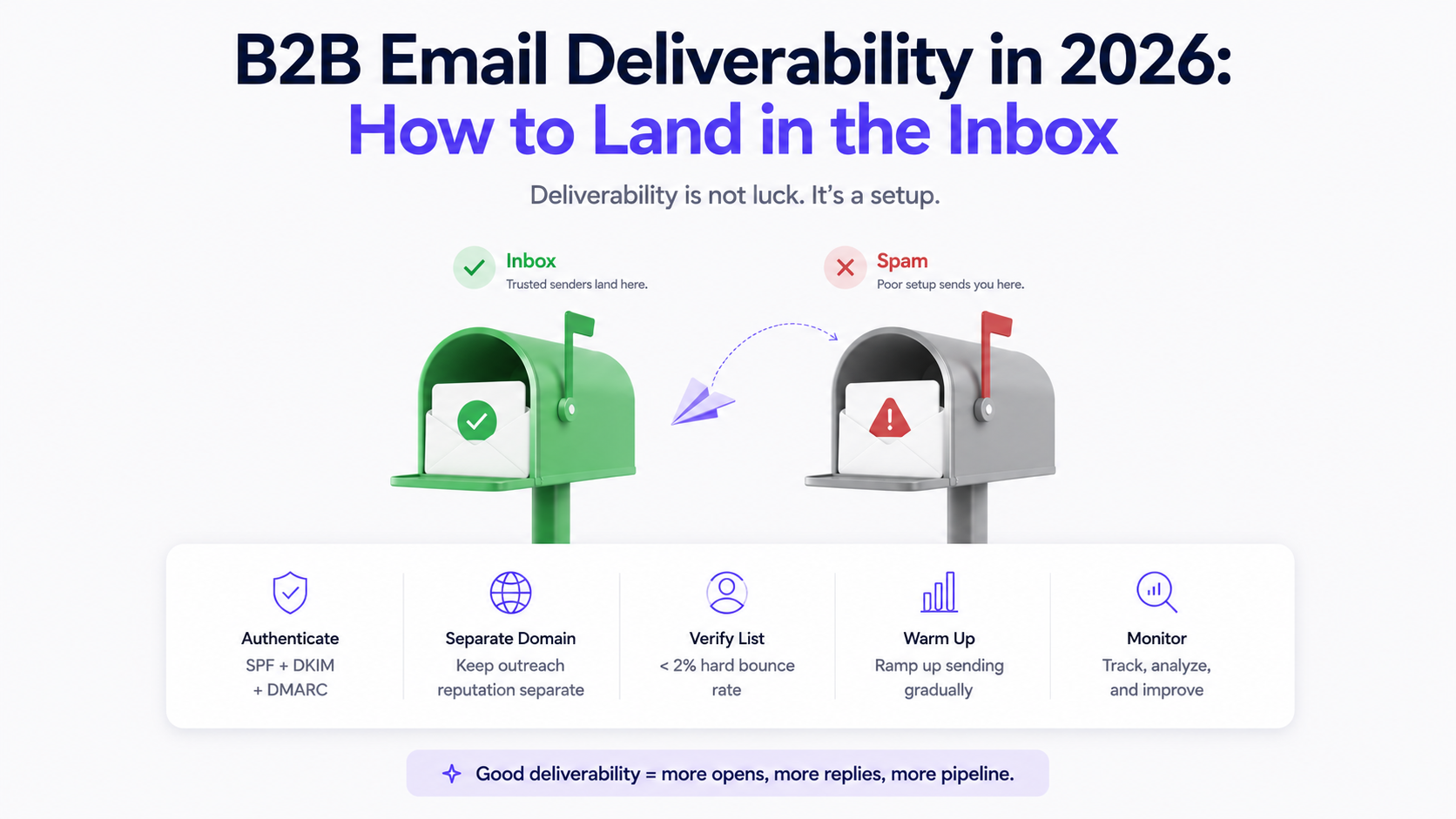

Email deliverability is the unglamorous part of cold outreach. Most teams spend their time on copy, sequences, and targeting. They assume their emails are landing in the inbox. Often, they are not.
In 2026, inbox placement has gotten harder. Google and Yahoo tightened their sender requirements. AI-based spam filters are better at detecting patterns, volume anomalies, and low-engagement senders. A technically clean setup that would have passed filters two years ago gets flagged today. This post covers what B2B email deliverability actually requires and how to get it right before sending a single sequence.
Why most outbound teams have a deliverability problem without knowing it
Open rates are a lagging indicator. If your emails land in spam, you get zero opens, which looks the same in a dashboard as a poorly written subject line. Teams attribute the problem to messaging and keep rewriting copy when the actual issue is technical.
The two most common scenarios: emails land in spam immediately because the sending domain is new and unestablished, or they start in the inbox and drift into spam over weeks as Gmail or Outlook downgrades the sender's reputation based on low engagement. Both look the same on the surface. Neither gets fixed by a better subject line.
Step 1: Set up your authentication records correctly
SPF, DKIM, and DMARC are not optional in 2026. Google and Yahoo made them mandatory for bulk senders, and even at lower volumes, missing these records is an immediate trust signal to spam filters.
SPF (Sender Policy Framework) tells receiving mail servers which IP addresses are authorised to send email on behalf of your domain. If you are sending through Gmail, Outlook, or a third-party email platform, each one needs to be listed in your SPF record.
DKIM (DomainKeys Identified Mail) adds a cryptographic signature to each email that proves the message was not tampered with in transit. Most email platforms generate a DKIM key for you and you add it to your DNS. It is a one-time setup that meaningfully improves inbox placement.
DMARC (Domain-based Message Authentication, Reporting, and Conformance) tells receiving servers what to do when an email fails SPF or DKIM checks. Start with a policy of p=none to monitor without blocking, then move to p=quarantine or p=reject once you are confident your authentication is clean.
All three should be configured on every domain you send from, including your main domain and any alias or subdomain used for outreach.
Step 2: Use a separate sending domain
This is the most important structural decision in outbound email. Your main company domain, the one on your website and in your brand communications, should not be used for cold outreach.
Cold outreach at volume carries inherent deliverability risk. A rejected campaign, a spam complaint spike, or a period of low engagement can damage domain reputation. If that damage happens to your primary domain, every email your company sends, including invoices, contracts, and support replies, takes the hit.
Set up a separate domain for outbound sequences. Something close to your main brand works well. If your company is toflow.ai, use toflow.co or gettoflow.ai. Apply full authentication to the sending domain and treat it as replaceable if reputation issues become severe. Your main domain stays clean regardless of what happens during outbound campaigns.
Step 3: Verify your list before sending
Every invalid email address you send to is a bounce. High bounce rates, particularly hard bounces where the address simply does not exist, are one of the clearest signals to mail servers that a sender is not managing their list responsibly.
The target is a hard bounce rate under 2%. Above that, most sending platforms flag the account. Above 5%, you are looking at account suspension.
Before enrolling any list into a sequence, run it through email verification. Verification tools check whether each address is valid and deliverable without actually sending an email. The output is a cleaned list with invalid, risky, and undeliverable addresses removed before a single message goes out.
toflow.ai's email finder and verifier handles this as part of the enrichment workflow. When you enrich a prospect list, emails are verified before they are returned. You are not sending to addresses that will bounce.
Step 4: Control your sending volume
New sending domains need time to build reputation. Sending 500 emails a day from a domain registered last week triggers every spam filter in the industry.
Start at 20 to 30 emails a day and increase gradually over four to six weeks. By the end of that ramp, most sending domains can handle 100 to 200 emails a day without deliverability issues. Pushing past that threshold before reputation is established is the single fastest way to tank inbox placement.
Volume consistency matters at steady state too. Irregular patterns, sending nothing for two weeks then blasting 400 emails in a day, look anomalous to spam filters. Consistent, moderate daily volume holds domain reputation better than bursts.
toflow.ai's sequences include configurable daily send limits and timezone-aware sending windows, so your volume stays within safe thresholds automatically rather than depending on manual discipline.
Step 5: Engagement signals matter more than ever
Gmail has moved toward engagement-based filtering. A domain with a strong history of emails being opened, replied to, and not deleted or marked as spam gets progressively better inbox placement. A domain with consistently low engagement gets downgraded over time.
This creates a reinforcing loop. Good deliverability generates more opens. More opens build better reputation. Better reputation improves deliverability. It runs equally in reverse: poor deliverability depresses opens, which depresses reputation, which worsens deliverability further.
The practical implication is that targeting quality matters as much as technical setup. Sending to accurate, relevant lists generates real engagement. Sending to scraped lists with high invalid rates and low relevance drives the loop in the wrong direction.
A few things that directly improve engagement signals:
- Reply to every response, even a no. Replies, both sent and received, are positive signals.
- Keep unsubscribes easy. An unsubscribe is far better than a spam complaint.
- Avoid patterns that filters associate with spam: excessive links per email, all-caps words, heavy HTML formatting, attachments in initial outreach.
Step 6: Monitor your sender reputation
Most senders only notice deliverability problems when reply rates drop. By that point, the problem has usually been building for weeks.
Google Postmaster Tools is free and gives you domain reputation, IP reputation, spam rate, and delivery error data for emails sent to Gmail addresses. Microsoft's Smart Network Data Services provides equivalent visibility for Outlook and Hotmail. Set up both and review them weekly. A reputation drop or spike in spam rate is far easier to fix early than after weeks of accumulated damage.
What good deliverability looks like in practice
A healthy sending setup in 2026: authentication fully configured on a dedicated sending domain, list verified before any sequence starts, daily volume ramped gradually, sending windows set to business hours in the recipient's timezone, and reputation monitored on an ongoing basis.
With that foundation in place, cold email campaigns can sustain open rates well above industry averages and operate without platform-level restrictions getting in the way.
The teams that run into deliverability problems are almost always missing one layer. Most commonly it is the sending domain separation or the list verification step. Those two alone account for the majority of preventable inbox placement issues in 2026.
toflow.ai's email finder and verifier handles the list quality side automatically. Sequences include configurable daily limits and timezone-aware sending windows. The DNS setup and sending domain configuration sits outside the platform and needs to happen before you start, but once it is in place, the operational side of deliverability runs without manual intervention.
Book a demo to walk through how to set up your outbound infrastructure end to end.
Frequently asked questions
What is B2B email deliverability and why does it matter in 2026?
B2B email deliverability is whether your cold emails actually reach the inbox or get filtered into spam. In 2026, it matters more than ever because Google and Yahoo tightened sender authentication requirements, and AI-based spam filters have gotten significantly better at identifying low-quality senders. Poor deliverability makes your campaigns invisible regardless of how well the copy is written.
What are the most important technical requirements for cold email in 2026?
SPF, DKIM, and DMARC are mandatory. Google and Yahoo now require them for bulk senders and apply stricter filtering to domains missing any of the three. Beyond authentication, using a separate sending domain and verifying your list before sending are the two highest-impact steps most teams overlook.
What is an acceptable bounce rate for B2B cold outreach?
Keep hard bounces under 2%. Above that, most email platforms flag the account. Above 5%, suspension is a real risk. Running your list through email verification before sending is the most reliable way to stay within safe limits.
Does toflow.ai include email warmup?
toflow.ai does not include an email warmup tool. Domain warmup needs to happen before you start sending sequences, using a dedicated warmup service. Once your domain is warmed and authenticated, toflow handles sequence execution with configurable send limits and scheduling.
How long does it take to build sending domain reputation?
Four to six weeks of gradual, consistent sending is the standard timeline. Start at 20 to 30 emails per day and increase by around 20 to 30 percent per week. By week six, most domains can comfortably send 100 to 200 emails per day without triggering filters.